Give your AI agents their own access to Rig
Connect a Notion custom agent, Viktor or Claude Tag to Rig with an identity of its own: a dedicated role you control, a daily call cap, and a token that is nobody's personal login.
Why agents get their own role
Notion and Viktor share one connection across everyone who uses the agent. Connect Rig with your own login and every person who talks to that agent sees what you can see, including data your role allows and theirs does not.
An agent in Rig fixes that. It gets its own role, copied from one you already trust (usually analyst), which you then narrow for that agent alone. It cannot sign in to Rig, it never appears in your user list, and everything it does is logged against it by name.
Before you start
You need the Owner role in the Rig workspace (only owners create agents, as with custom roles). In Notion, a workspace owner or admin must first turn on Enable custom MCP servers in Notion's AI connector settings. Keep the agent's tool open in another tab: Rig shows the token once.
Create an agent
- In
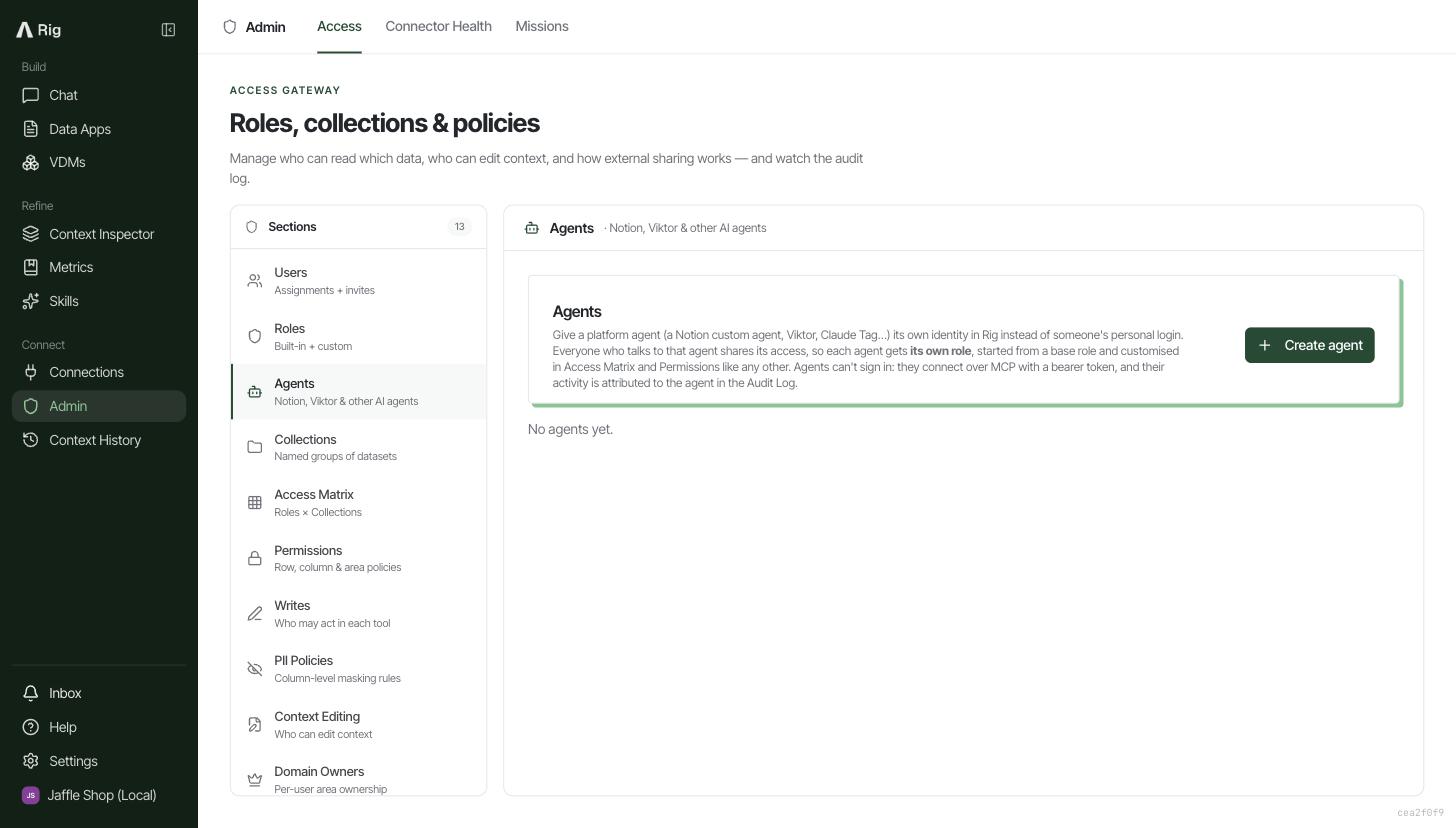
app.rig.so, openAdmin, then theAccesstab, then Agents in the sections list. Click Create agent. - Fill in the form. The choice that matters most is Start from role: the agent gets a copy of that role's permissions, named after the agent.
- Click Create, then copy the MCP URL and the token straight into the agent's tool.
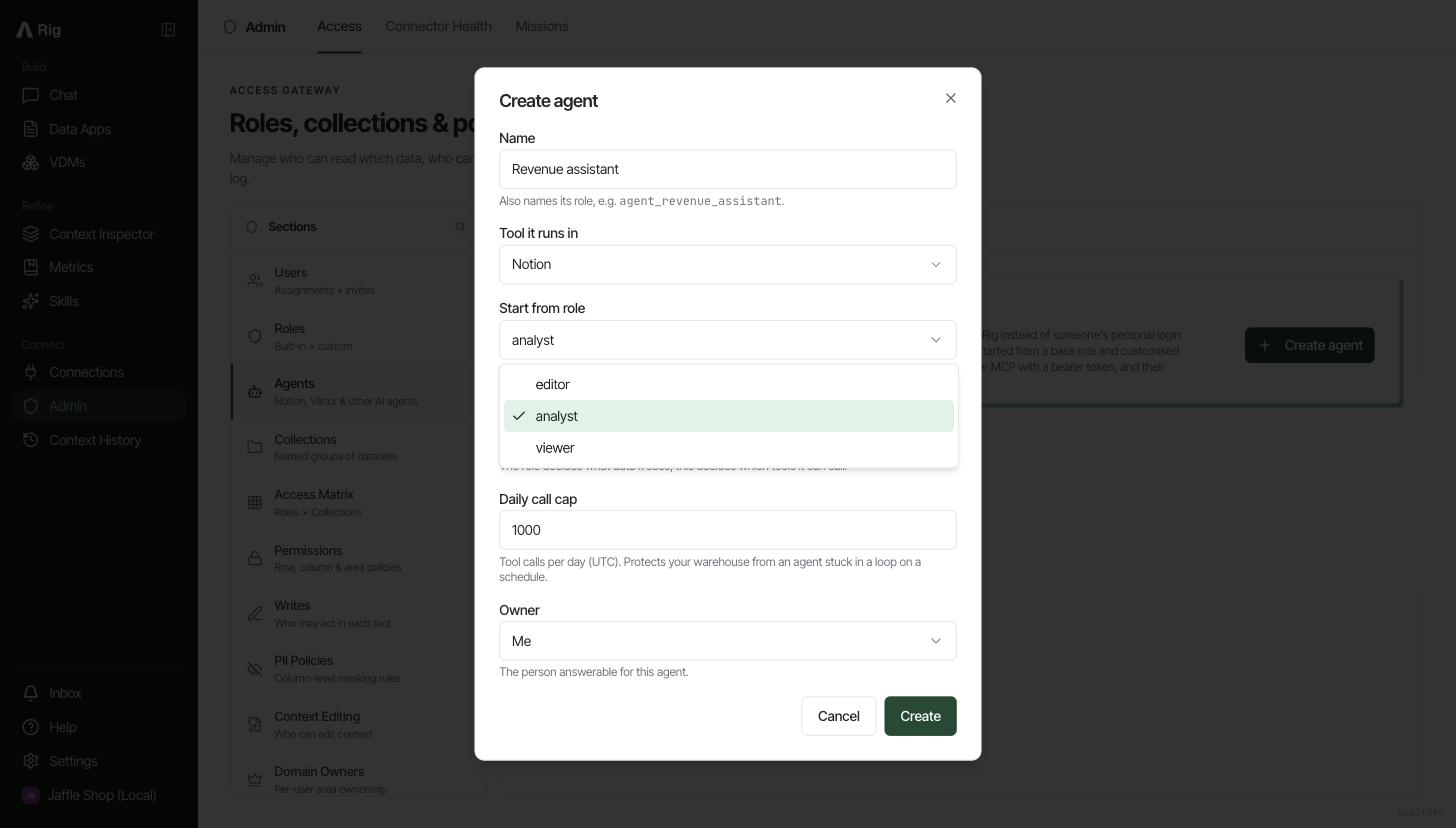
- Name: what people call it, for example Revenue assistant. Its role becomes
agent_revenue_assistant. - Tool it runs in: Notion, Viktor, Claude Tag or Other. This sets the connection instructions and labels its activity in the audit log.
- Start from role: the role to copy, analyst by default. Pick the narrowest role that covers what the agent needs.
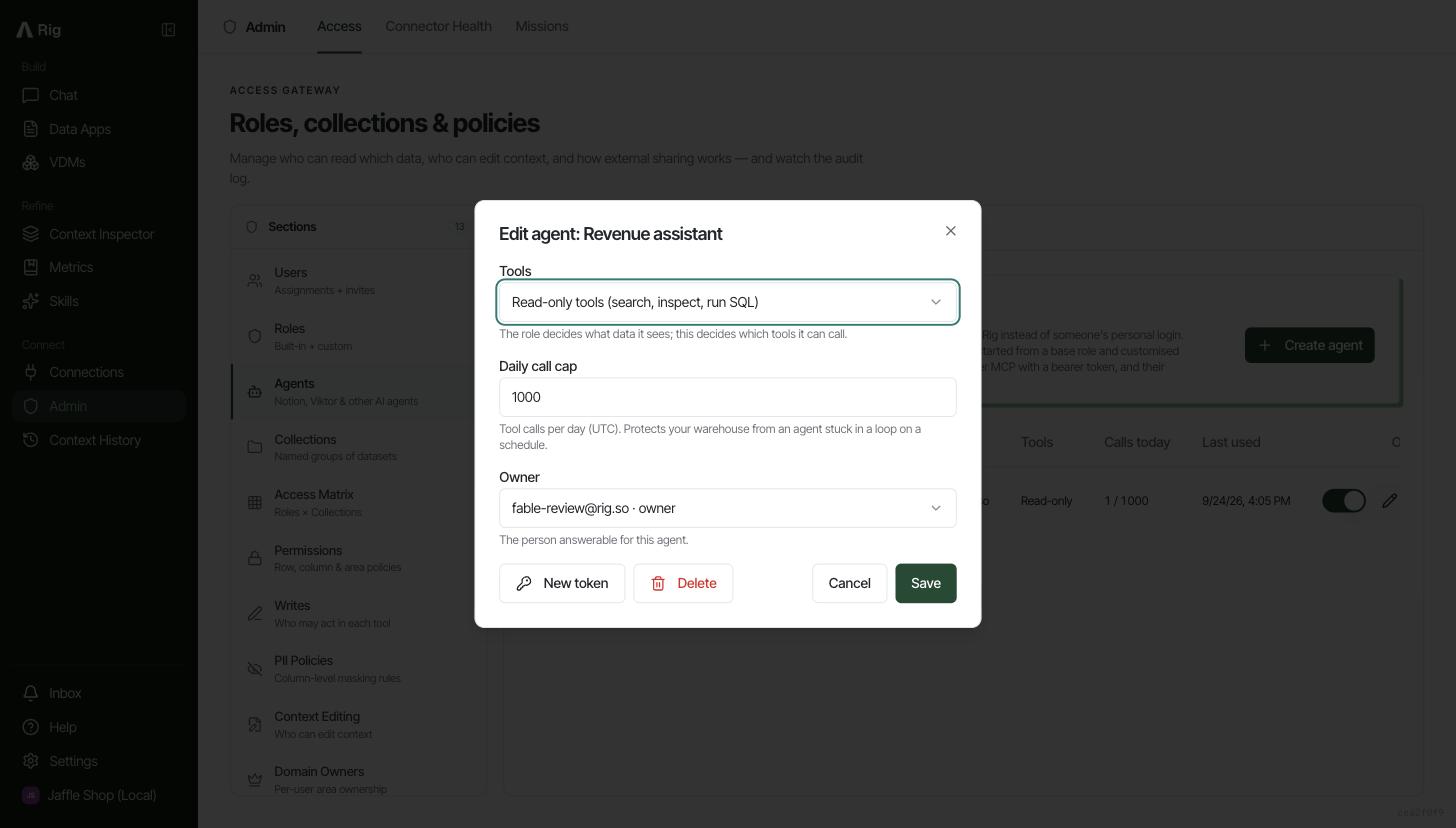
- Tools: read-only (recommended) lets it search, inspect and run SQL but not edit anything. Everything the role allows adds the role's editing tools.
- Daily call cap: tool calls allowed per day, reset at midnight UTC. 1,000 by default; leave it empty for no cap. It protects your warehouse from an agent stuck in a loop on a schedule.
- Owner: the person answerable for the agent. Defaults to you.
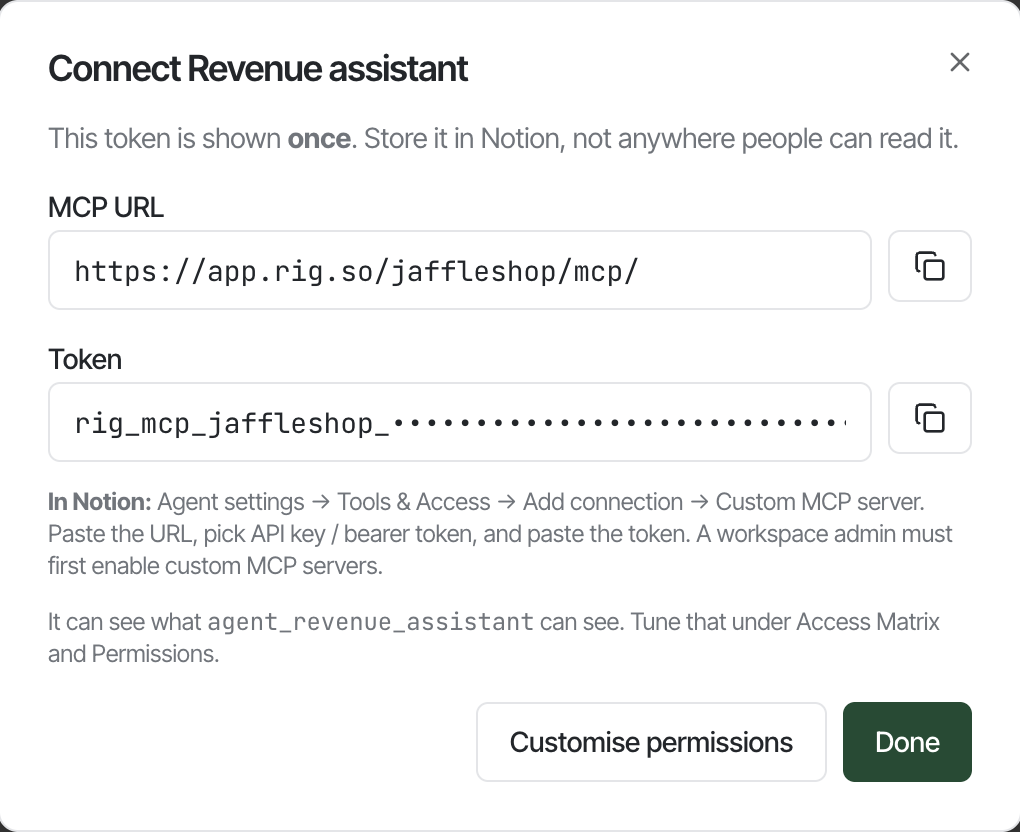
Lost the token? Issue a new one from the agent's edit dialog. The old one stops working immediately.
Connect it in your tool
Every tool below takes the MCP URL plus the token as a bearer token. Use the token option rather than signing in with OAuth: OAuth would connect the agent as you.
Notion custom agent
- Open the agent's settings, then Tools and access.
- Choose Add connection, then Custom MCP server.
- Paste the URL, pick API key or bearer token, and paste the token.
Viktor
- Go to Integrations, then Add custom MCP, and paste the URL.
- When Viktor asks for a key, paste the token.
- Viktor shares the connection with your whole team by default. That is expected: the agent's role is the limit.
Claude Tag
- Create an Access bundle for the channels that should use Rig.
- Add a plugin whose
.mcp.jsonpoints at the URL. - Add the token as a Bearer credential and allow the Rig host.
Anything else
Point any MCP client at the URL and send the header Authorization: Bearer <token>. The client sees only the tools the agent may use. For MCP with your own login instead, see connect Rig to your AI tools.
Tune what it can see
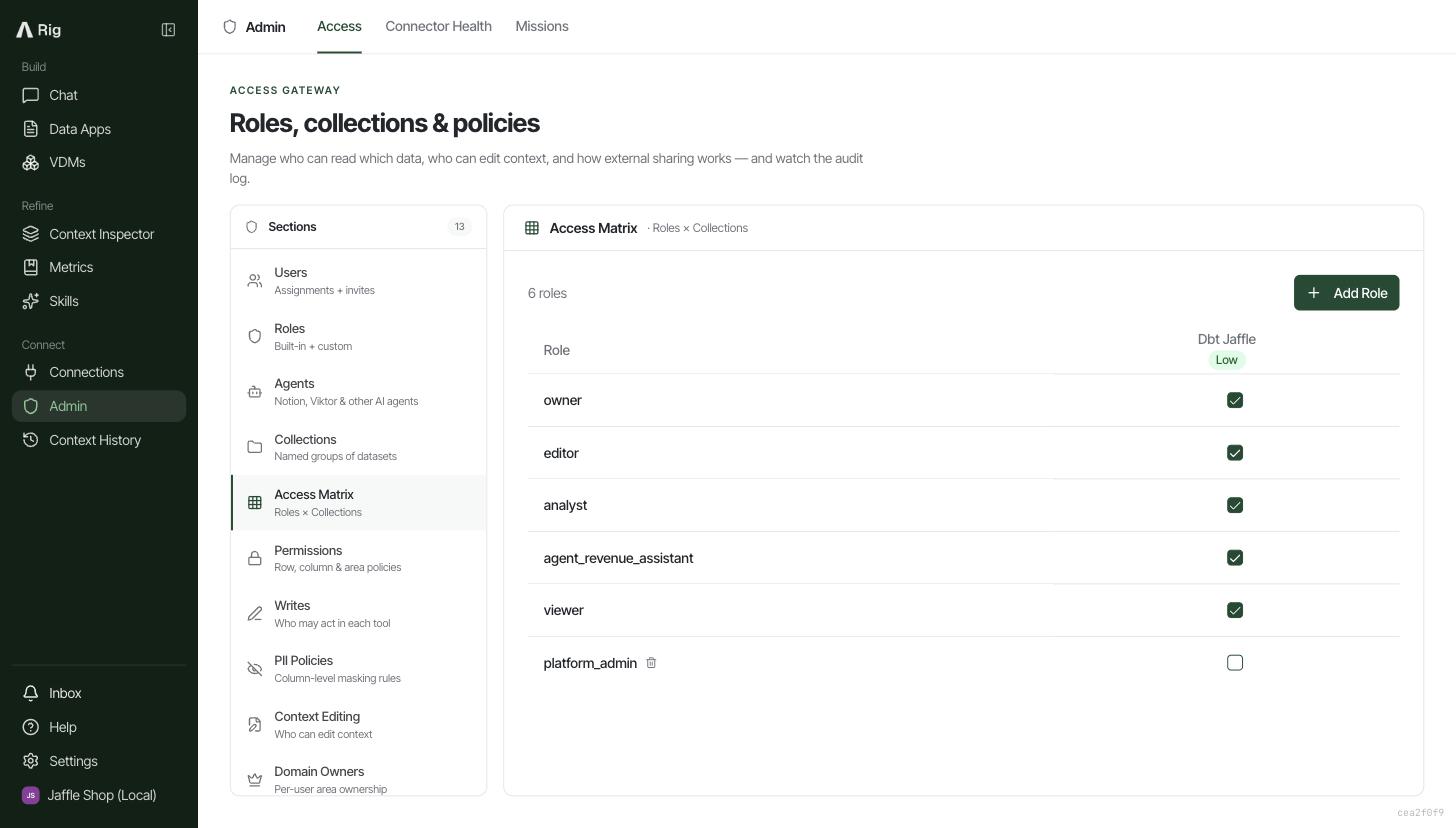
The agent's role is a normal role, marked agent. Edit it wherever you edit roles: Access Matrix for which datasets it reaches, Permissions for table, column and row rules, PII Policies for masking. Changes reach the agent within about 30 seconds. See role-based access control for how each of those works.
Run it day to day
The agents list shows each agent's tool, tool profile, role, owner, calls today against its cap, and when its token was last used. It refreshes every 30 seconds.
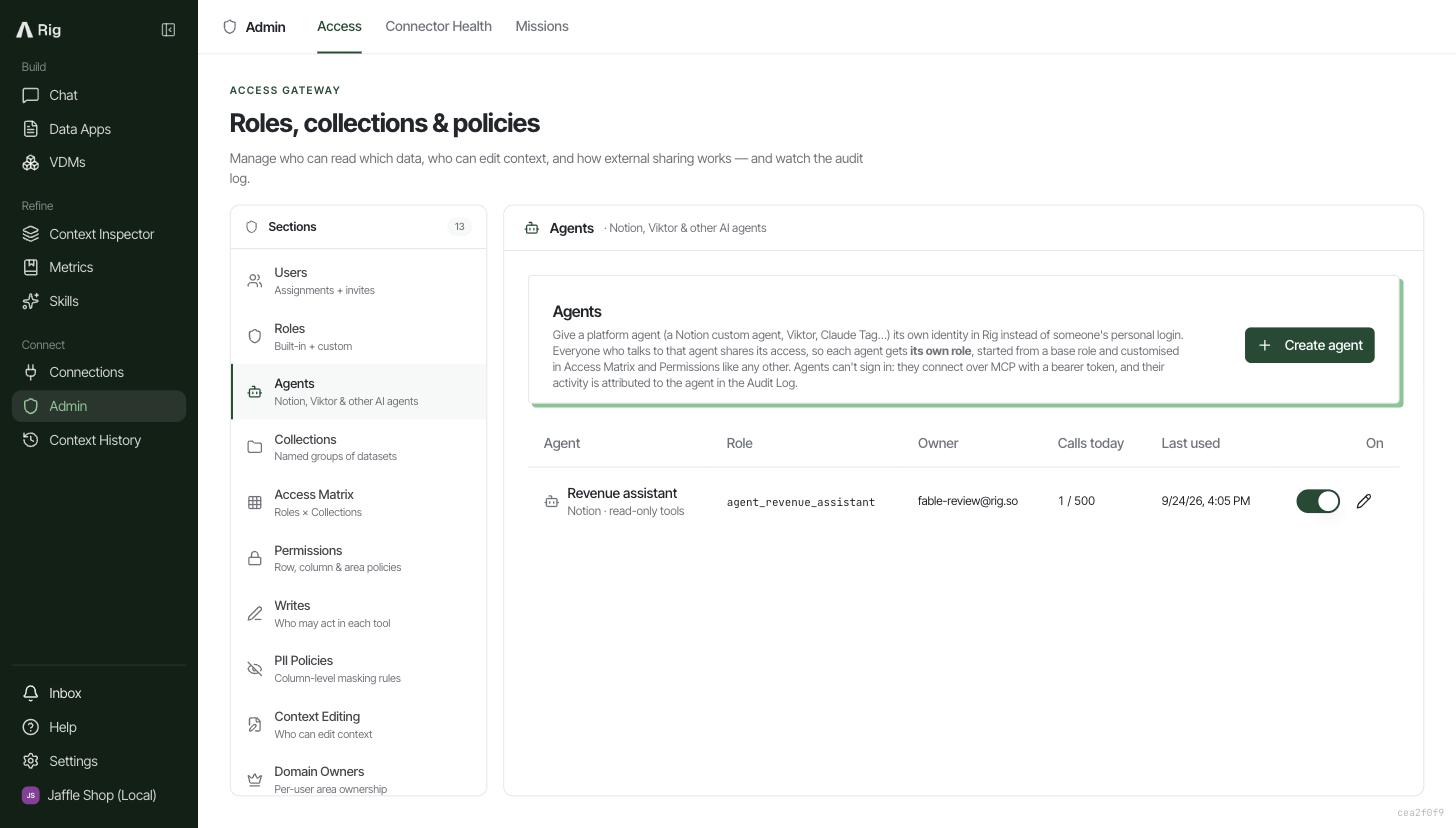
- Pause an agent: flip its switch off. Its next call is refused on every server, and scheduled workflows it created stop too.
- Change the cap, tools or owner: click the pencil, edit, save. The next call uses the new settings.
- Replace a leaked token: pencil, then New token. The old token stops working at once.
- Remove an agent: pencil, then Delete. Its role, token and access go at once; its history in the audit log stays.
See what an agent did
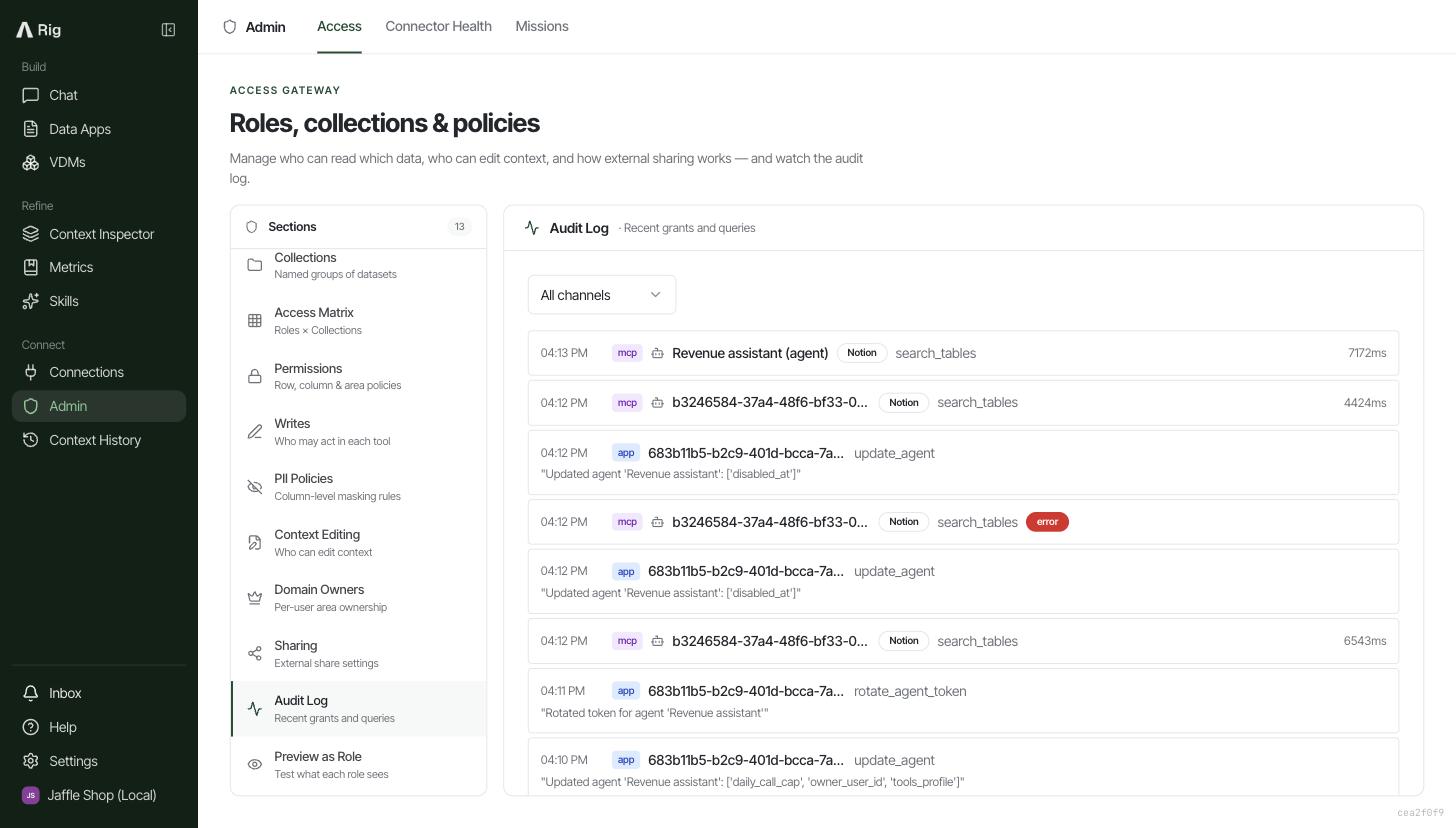
Open Audit Log in the Access Gateway. Agent calls carry a robot marker, the agent's name and its tool. Refused calls (switched off, over the cap, or a tool it may not use) show as errors, and do not count against the cap.
Good to know
- Editing the base role later does not change the agent. The agent gets a copy when it is created, so it never gains access you did not give it on purpose.
- Some tables stay closed to agents. Tables that filter rows per person, such as each rep seeing their own deals, need to know who is asking. An agent has no personal identity, so Rig refuses those queries rather than guessing.
- No agent gets owner level access. Owner and any role at owner's level are never offered as a starting point, agent roles cannot be given to people, and an agent's role is only deleted along with the agent.
- Agents cannot sign in. They connect with their token only, and are blocked from every form of sign-in to Rig.