Connect Rig to your AI tools
Rig serves your warehouse over MCP, so Claude, ChatGPT, Cursor and the rest query your data with the same governed context every time. Setup lives in the Rig app, with per-tool instructions kept current there. Your access rules travel with it: every tool sees exactly what the signed-in person is allowed to see.
Why MCP matters
Skill files and static prompt instructions drift. Rig MCP gives your AI tools live metadata: tables, joins, sample values, certified metrics, so the AI guesses less and stays current.
Connect from Rig
Rig keeps the setup steps for every tool inside the product, next to the button that does the work, so they stay current as each tool moves its menus around. You do not need to follow instructions on this page to connect one.
- Go to
app.rig.so, openSettings, and chooseIntegrationsunder Workspace. - Find the MCP Setup panel. It carries a one-click Add Rig to Claude button, plus per-client setup for Claude Code, Cursor, Codex and Cowork.
- Pick your tool and follow the instructions shown inline.
- That panel also holds your workspace MCP URL. That is the value you paste anywhere a tool asks for a server URL, including ChatGPT below.
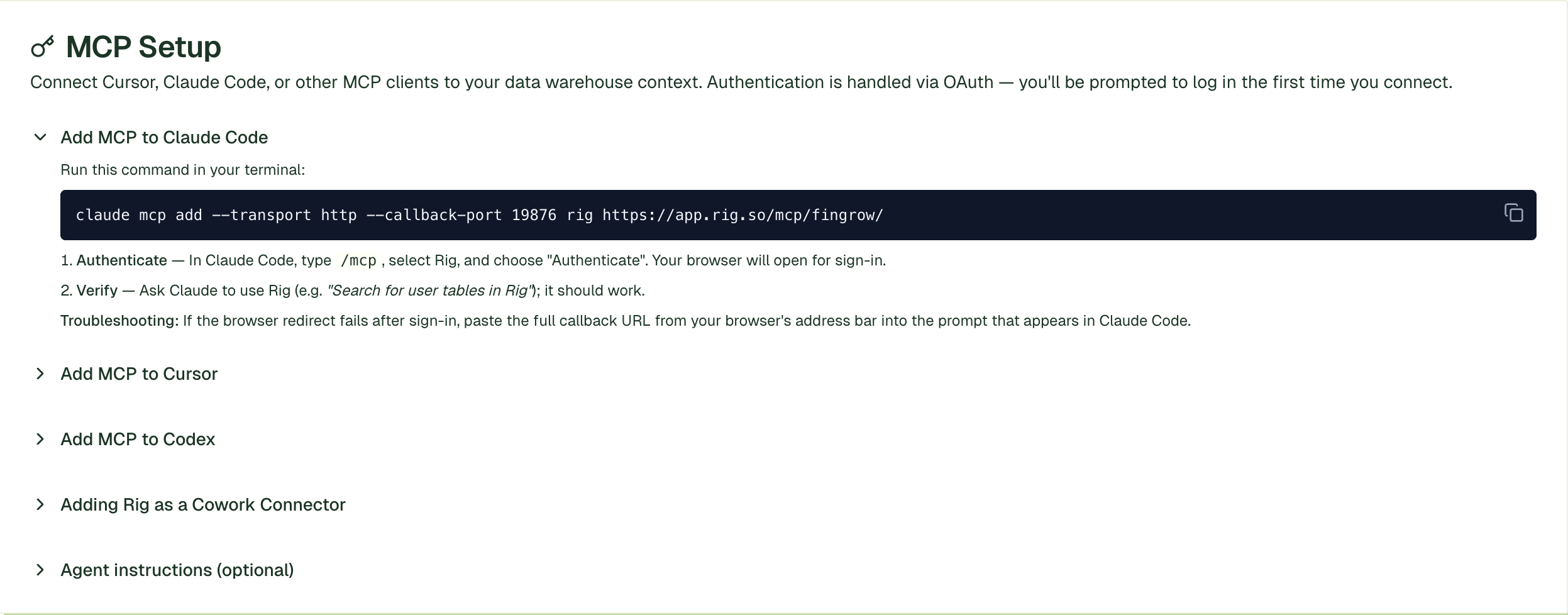
Once a tool is connected, ask a question the way you would ask an analyst. There is more on what to expect back in work with your data.
ChatGPT
As of August 2026, ChatGPT allows you to connect custom MCP servers as plugins. Follow the instructions below to connect Rig.
- In ChatGPT, open
SettingsthenAccess and security, and toggle on developer mode. - Go to
Pluginsand chooseAdd a plugin. - Name it Rig.
- Paste the MCP URL from your Rig integrations page as the server URL, then complete the OAuth prompt. Ask something concrete first, such as which tables it can see, to confirm it is reading your context layer and not guessing.
Troubleshooting
- ChatGPT has no developer mode toggle: your plan does not include it, or a workspace admin has restricted it.
- The tool connects but sees no tables: the OAuth sign-in went through as someone whose role has no access. Rig enforces role-based access on every query, so an empty schema usually means the right person has not signed in.
- It worked and then stopped: the OAuth session expired. Reconnect from the tool's own settings. You do not need to add the server again.